Home screen
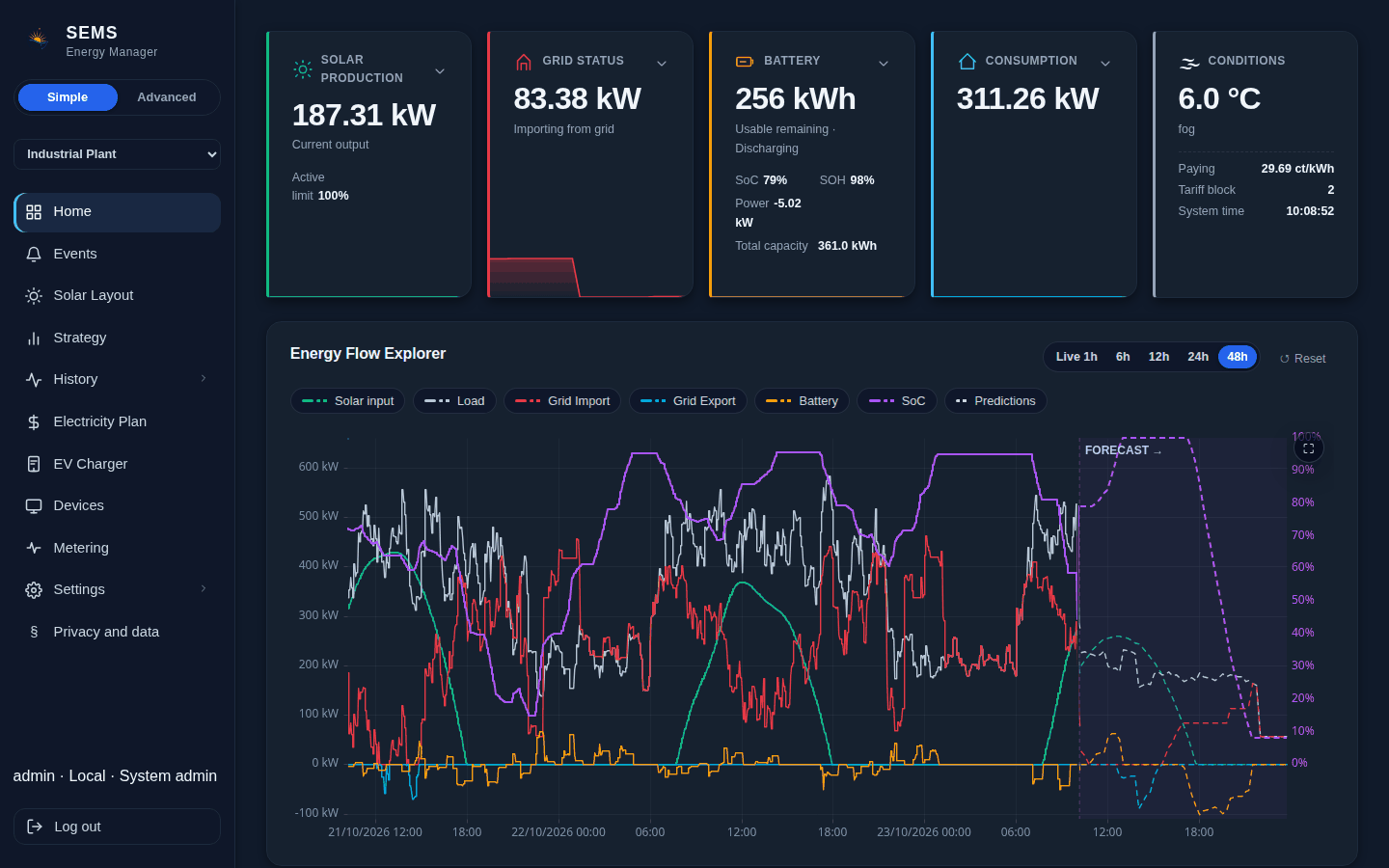
The Home page shows your whole site live, at a glance.
Energy flow
The Energy Flow diagram shows solar, battery, loads and grid with the power moving between them. Click any part to see where its energy comes from and goes, per device if you have several. The diagram can also run full screen on a wall display.
The cards
The Battery card shows charge level, state of health, usable energy, total capacity and whether it is charging. Grid Status shows import or export, the current price and how close you are to your grid limit. Solar Production shows current output, today's production and, where reported, each string. Consumption shows what the site uses.
Further down you see where today's solar went (used, stored or exported) and how much of your load was met without the grid.
The coming hours
The Predictions chart shows the plan SEMS follows: forecast solar, expected consumption, battery charge level, planned grid import and export, and the price.
With Home Tariff and a target time, a card shows the planned charge, the deadline and the expected finishing time.
Several systems on one controller
If your controller manages more than one system, pick it at the top of the menu, and the Home page, Strategy and history show that system. Active faults are counted next to Events in the menu on every page.