Metering
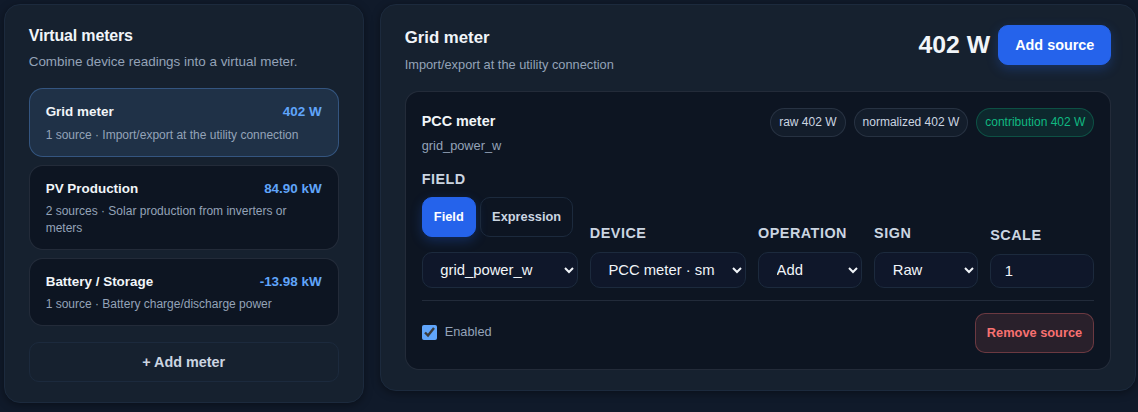
SEMS needs four numbers at all times: solar production, site consumption, grid import and export, and battery power. Where no meter measures one of them directly, the Metering page builds it as a virtual meter.
Virtual meters
A virtual meter adds or subtracts values your devices already report, each with an optional scale factor or reversed sign. A site with two inverters and no production meter, for example, gets its PV Production by adding both.
A source can also use an expression, such as power from voltage and current per phase, with the available device fields listed to click into the formula. Besides the four main meters, you can add custom meters, for example for a second building.
Named sub-loads
Large consumers such as an EV charger or heat pump can be set up as named sub-loads to see them separately, and you decide whether SEMS counts each in the load it plans against.
Changing a meter later
When a meter or current transformer is replaced and a scale or sign changes, SEMS asks whether to correct the past history (the old value was wrong) or apply it only from now on (the hardware changed).
The page shows each virtual meter's live total so you can check it before saving. Editing the metering needs the Admin role.