Users
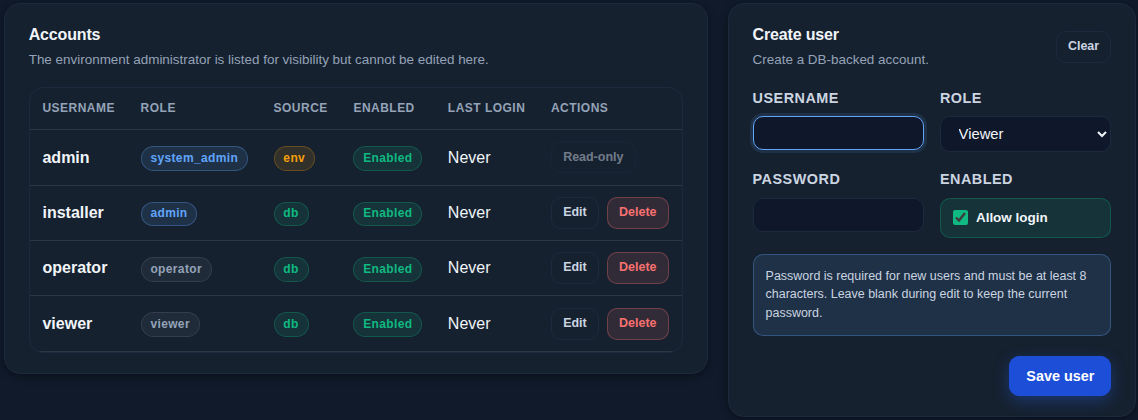
Everyone who works with SEMS, such as the owner, the building manager and the installer, should have their own account with only the rights they need.
| Role | What it allows |
|---|---|
| Viewer | See live data, history and events |
| Operator | Everything a viewer can, plus choosing the strategy, starting and stopping automatic control, and operating devices and chargers |
| Admin | Everything an operator can, plus devices, channels, metering, the electricity plan, strategy tuning, notification rules and the support bundle |
| System admin | All of the above, plus user accounts, updates, configuration backup and restore, certificates and factory reset |
The controller enforces these rights on every request, not just in the browser.
Managing accounts
Only the system administrator opens the Users page, where you create users, choose roles and set passwords of 8 to 128 characters. Allow login disables an account without deleting it, for example for a contractor after a project. The list shows each user's last sign-in.
The system administrator account comes with the controller; its password is changed on first sign-in and it can't be edited on the Users page.
A sensible setup
Give the owner or manager an Operator account, keep Admin for the people who change the configuration, and use the system administrator only when needed.