Commissioning
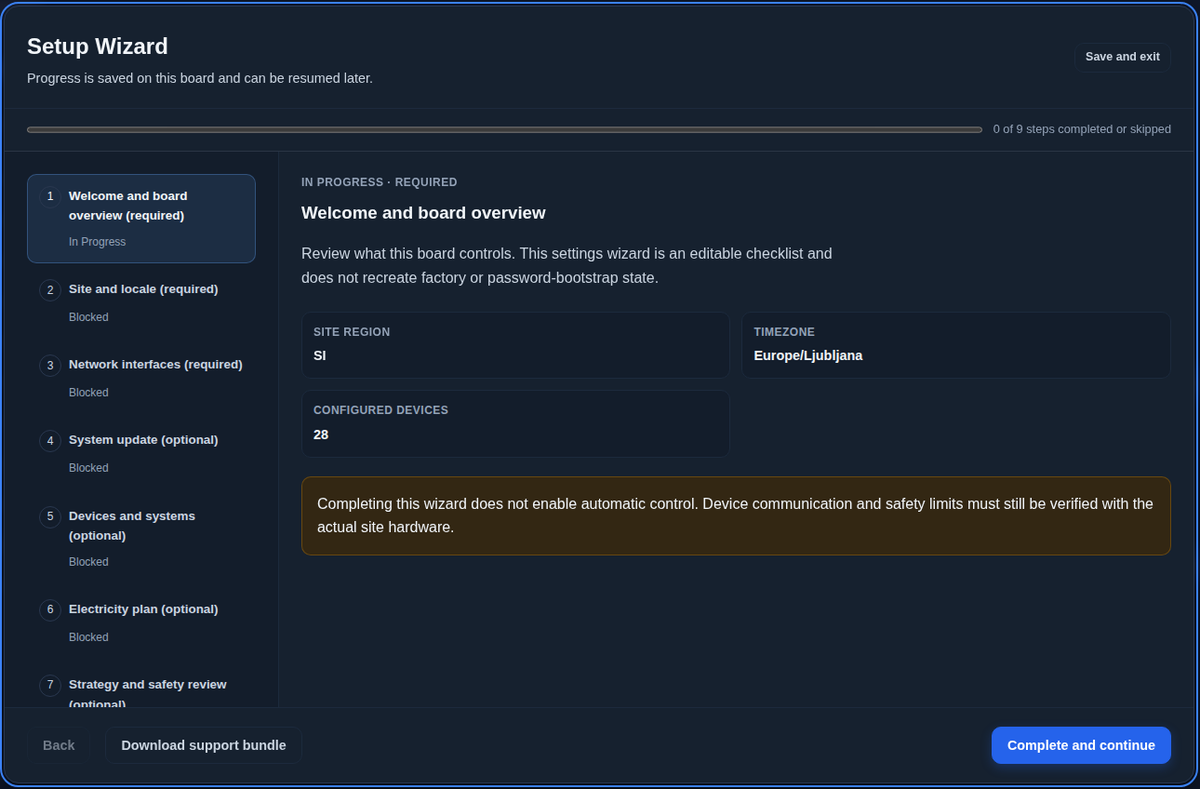
The Setup Wizard takes you through commissioning and saves your progress, so you can stop and continue later.
First sign-in
Open the web interface over HTTPS and sign in with the factory login supplied with the controller. SEMS first asks for a new administrator password of 12 to 128 characters, with at least three kinds of characters and without the serial number or name. Store it safely.
The wizard steps
- Welcome and board overview shows what this controller controls.
- Site and locale sets the country, time zone, language and the site's latitude and longitude for the solar forecast.
- Network interfaces reviews Ethernet and Wi-Fi, with DHCP or static addresses and the Wi-Fi access point. If applying changes disconnects you, reconnect on the new address and continue.
- System update shows the installed software and lets you install a signed update package before you start.
- Devices and systems finds and adds the devices and groups them into systems. See Connecting devices.
- Electricity plan takes the contract data you collected in Before you start.
- Strategy and safety review sets the strategy and checks the limits.
- Monitoring portal claim connects the controller to the CyberSun portal with the claim token from the claim card. You can skip it and come back later.
- Review and finish shows what is complete and what was skipped.
Before you turn on control
Finishing the wizard does not switch on automatic control, so you can check devices and limits against the real hardware first.
On the Home page every device should show plausible values, and the grid meter must show import and export in the right direction; a wrong sign is the most common cause of odd behaviour. Check that solar and consumption roughly match the inverters, and that the limits on the Devices page and in the Electricity Plan match the connection approval.
Then switch on Enable automatic strategy control on the Strategy page and watch the Decision log and grid meter for a while before you leave.
Handing over
Create the customer's accounts on the Users page, usually an Operator account, and download a configuration backup in Settings.